


Webfluence joins NVIDIA Inception
Webfluence is a member of NVIDIA Inception, a free program for young AI companies. For you, nothing changes.
 Arnaud5 min
A photo of your product, an image that inspires you, and your ads come out on brand. What it is, and who it's for.
ArnaudNovember 12, 20265 min
The key points
Summarize withChatGPTClaudePerplexity
A good ad needs good images, and a photo shoot isn't always possible. We built Webfluence Studio for that: starting from what you already have.
How it works
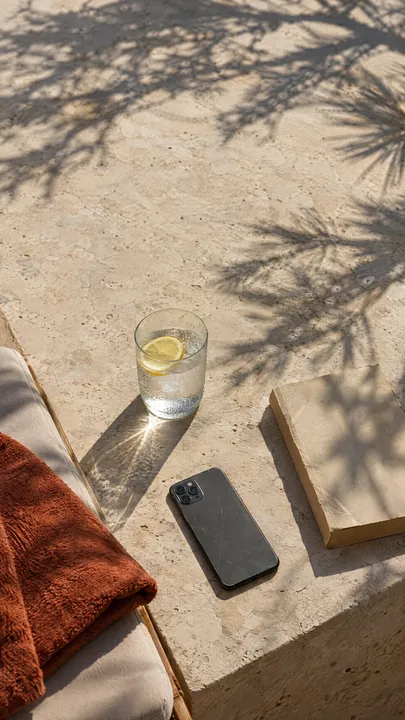
Your product
One photo, even a simple one.
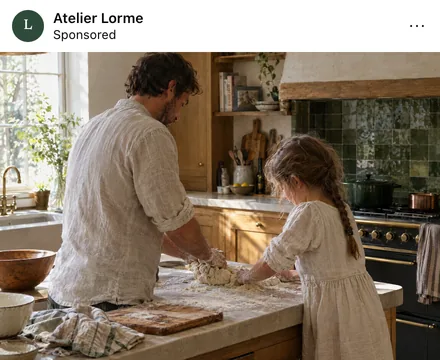
An inspiration
An image whose style you like.
A sentence if you want
It's optional.
Images in the right format for each network. From the Pro plan up, videos with voice, music and subtitles, as stories or squares. You review everything before publishing: Webfluence Studio never publishes anything for you.
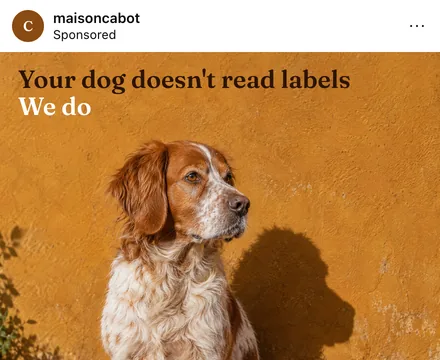
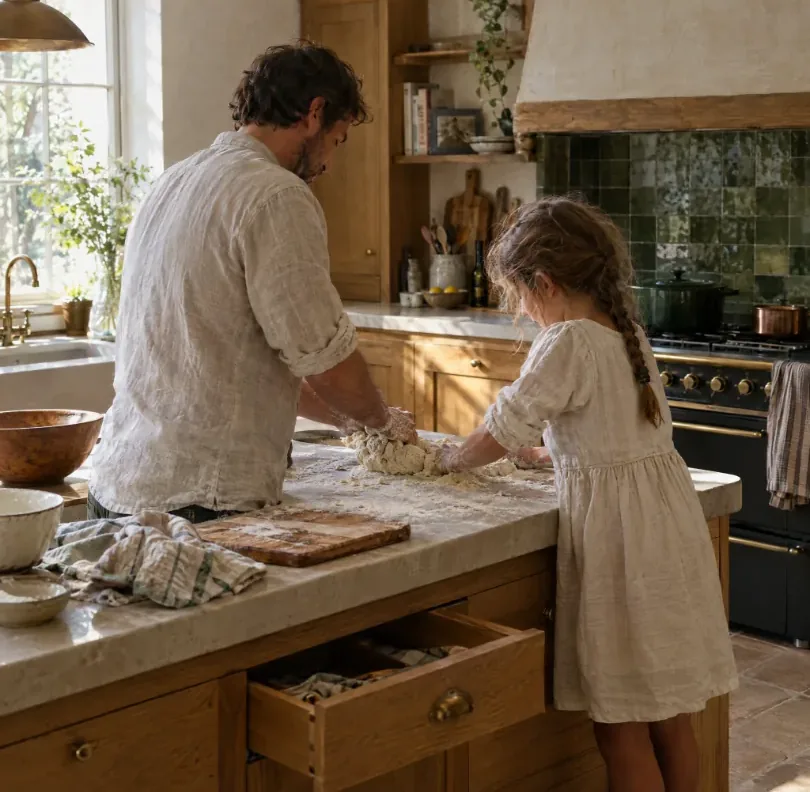
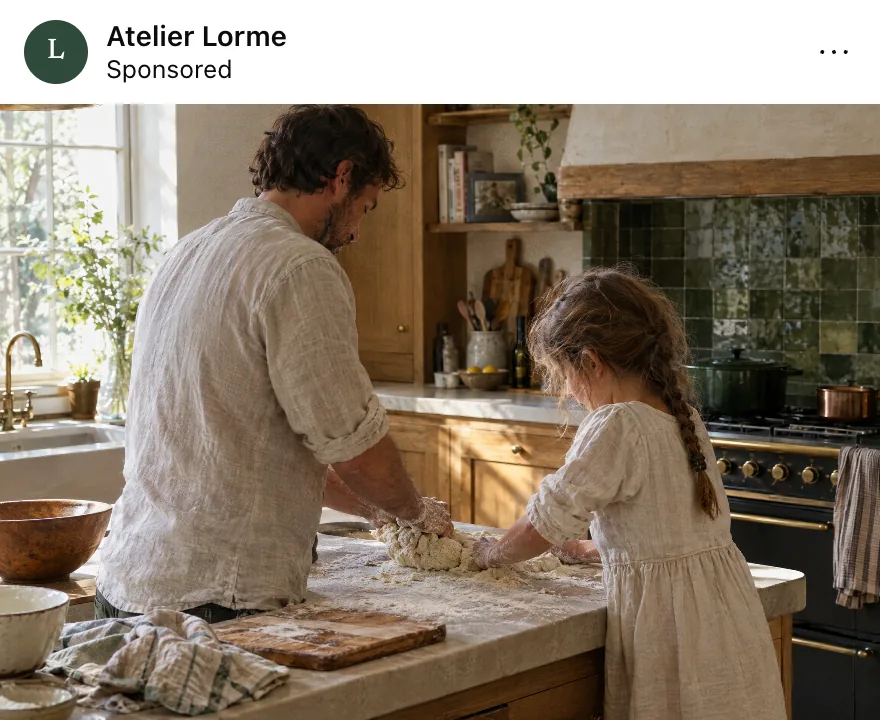
Here's an example, on a brand made up for the demo. On the left, the starting photo. On the right, the ad ready to go, in Instagram feed format, with the name and the sponsored label. It isn't just another image: it's a crop, a line and a format that hold together.
What helps, what gets in the way
| What helps | What gets in the way |
|---|---|
| Your whole product, well lit | A product cut off or in the dark |
| A simple background | A cluttered table |
| Your real packaging, your real logo | An image found online |
A phone photo is enough if it's sharp. Take it near a window, in daylight.
Your colors and fonts are remembered, then applied to every image and video. Your logo is never redrawn.
No designer, no photo shoot:your product is enough
From the Pro plan up, competitor monitoring finds their ads in the Meta, Google, TikTok and LinkedIn ad libraries, explains why they work and gives you ideas for one in your brand style. It borrows the angle, never the visual or the text.
That works too. Your website link replaces the product photo: a plumber, a practice or a school gets ads with nothing to photograph.
Every creative gets reviewed before it goes out. A generated person can present your product, but must never pass as one of your customers. A review ad only uses a review a customer actually wrote to you. And when you run it, your ad is labeled as AI-generated.
A business advertising on Meta, TikTok or Pinterest needs several visuals, and new ones fairly soon, because an image eventually wears out. A photo shoot for every idea isn't possible. Studio lets you test several ideas from what you already have, without waiting for a designer, and keep the ones that work.
A bakery can start from a photo of its window taken in the morning. A cosmetics brand starts from a photo of its bottle. A plumber has no product to photograph, so they give the link to their site.
What happens, in order
| The step | What you do | What Studio does |
|---|---|---|
| Your brand | You provide your colors, fonts and logo | It keeps them for later |
| Your product | You add a photo, or your site's link | It prepares the material |
| The inspiration | You pick an image whose style you like | It composes the ad, text included |
| The review | You look it over and retouch with the brush if needed | It fixes the chosen area |
| The output | You download | Each network's format is ready |
There's nothing to write. One sentence is enough to be more specific, and it's optional. The credit cost shows before each creation, and if one fails for a technical reason, the credits used are returned.
Google, Meta (Facebook and Instagram), TikTok, Pinterest, LinkedIn, Snapchat and YouTube Shorts. Each creation follows its network's formats and habits: a square image for the feed, a vertical format for stories, a pin for Pinterest. You don't crop anything by hand.
Three no-commitment plans, with credits every month. Essentiel is for images. Pro adds video and tracking of 2 competitors. Max also includes Supercomputer, which prepares a full campaign in a single request, tracking of 10 competitors, trends in your industry and AI influencers, people created to present your products. Pricing is by quote: request access on the Webfluence Studio page and someone from our team will get back to you.
This is a video where a person presents your product, as if filmed on a phone, with a voiceover and subtitles. That person is created by AI. They present your product, they don't replace a customer's review. If your video suggests they bought and tested it, you're misleading people, and we won't make it that way.
Studio doesn't know your margin, your season or your customers. It makes images, not a strategy. A great image won't save a vague offer or a page that doesn't answer: read what to prepare before running an ad.
It doesn't replace your own photos either. A finished job, a crew in front of their van or a dish coming out of the oven keep a strength no generated image has. The best approach is often to mix the two and let the numbers say what works.
See examples and request access on the Webfluence Studio page.
Arnaud
Managing director
Arnaud designs your websites, from experience to interface, and their visibility on Google and AI.
Webfluence is a member of NVIDIA Inception, a free program for young AI companies. For you, nothing changes.
Arnaud5 min
Adia reads your campaigns and suggests what's next, on WhatsApp. Nothing gets spent without your yes.
 Louis6 min
Your customers see your site. Google and AI read its code. Here's what to fix first.
Arnaud8 min